If you're like me, you have many older images that maybe weren't shot in the most ideal of conditions. Fast action in low light forces you to jack the ISO way up, and that "brings da noize", so to speak. And noting look worse than a noisy photo. Did you know it's possible to eliminate most of that noise with a single click of a mouse? Check this out: (click to play GIF, then make FULL SCREEN)
This is the latest extension tool from Luminar Neo, called NoiselessAI. I intentionally shot this image at the highest ISO my Fujifilm camera was capable of in RAW, 12,800. As you can see, it's annoyingly noisy! If you follow my cursor on the GIF, I simply click on Noiseless in the right column, which opens the tool. The AI then analyzes the image and suggests (you can always disagree!) Low, Medium, or High level of noise removal. In this case, High was the obvious suggestion, and my choice. When done, Neo will display the image at an increased magnification and you can toggle the eyeball to see the before and after. How cool is that?
I should note that in the above example, I didn't use any other Luminar editing tools, only the NoiselessAI. You have, of course, all of the other tools available to make this the best possible finished image. The images below were finished with other tools after the noise was removed.
Below, I'll post a few more before and after images; some using Medium some High, and some Low.
 |
| ©Daniel Gauss/Shot On Site |
Next: (before applying NoiselessAI)
 |
| ©Daniel Gauss/Shot On Site |
..and after:
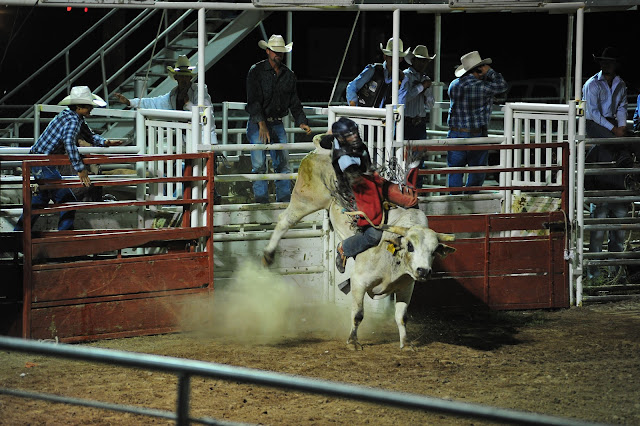 |
| ©Daniel Gauss/Shot On Site |
NOTE:
Posts may contain affiliate links. If you make a purchase through one of these, I may receive a small commission at no increased cost to you. Thanks.


.png)
.png)


